AI Bible CommentaryTools & Resources
A long-form index of Bible-study resources, teaching helps, timelines, research tools, AI Bible study prompts, and practical utilities. The resources are kept in the same order as the source Tools page.
Book-by-book and topical helps. Study tools
Readers, compilers, sorters, and note tools. Timelines and prompts
Visual context and AI study workflows. Full-size images
Every image opens in a new tab.
Before using these resources
These tools are intended to support Bible reading, study, teaching, and ministry. They do not replace Scripture, prayerful discernment, responsible interpretation, or the accountability of the local church.
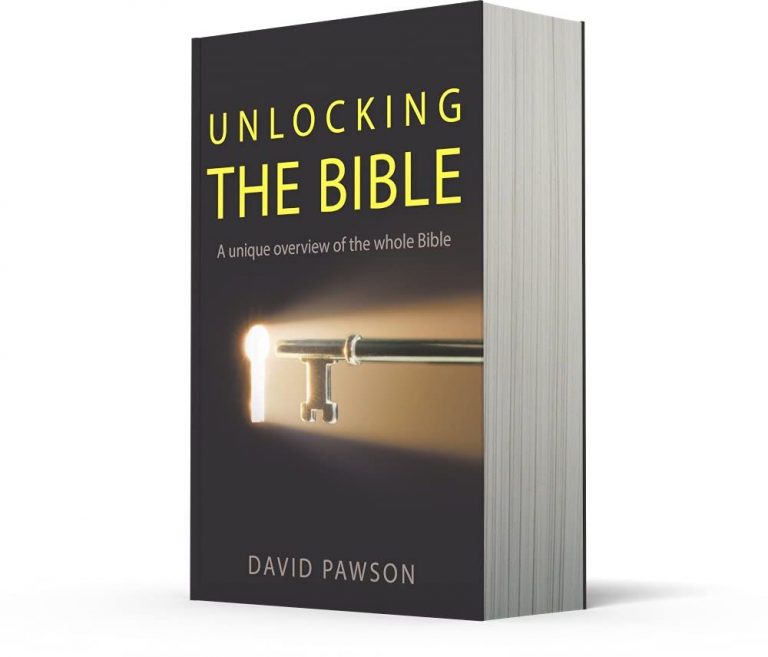
David Pawson’s Unlocking the Bible series
Free book-by-book Bible teaching with Old Testament and New Testament collections.
You can download the teaching on every book in the Bible by David Pawson. It will not cost you anything.
His Unlocking the Bible teaching is especially useful as a companion to reading through a biblical book. A simple pattern is: read the book, listen to the teaching on that book, then read the book again with the structure and background fresh in mind.
For most books, the teaching is arranged in sessions of about forty minutes. The notes are also available in book form if you want a printed companion.
Dr John Barnett
52 Greatest Chapters of the Bible, videos with transcripts, and broader teaching playlists.
Dr John Barnett’s resources include 52 Greatest Chapters of the Bible, with videos and transcripts, through Discover the Book. His broader YouTube playlists provide many additional studies.
Paul Washer
Challenging preaching and teaching with a serious emphasis on godliness and Christian obedience.
Paul Washer’s preaching is direct and searching, with a strong emphasis on holiness, repentance, and a godly perspective on the Christian life.
Audio Bibles
Mobile Bible apps and free audio Bible downloads for listening through Scripture.
There are many Bible apps that you can download to a mobile phone, including YouVersion and similar Bible-reading apps.
You can also download many audio Bible translations for listening. This is especially useful for repeated exposure to whole books of Scripture.
Free for personal and church use
Not for sale or commercial distribution.
Use Policy: Free for personal and church use.
Not for sale or commercial distribution.
This page gathers study helps, teaching resources, and practical tools so that readers can use them for Bible study, teaching preparation, and church ministry.
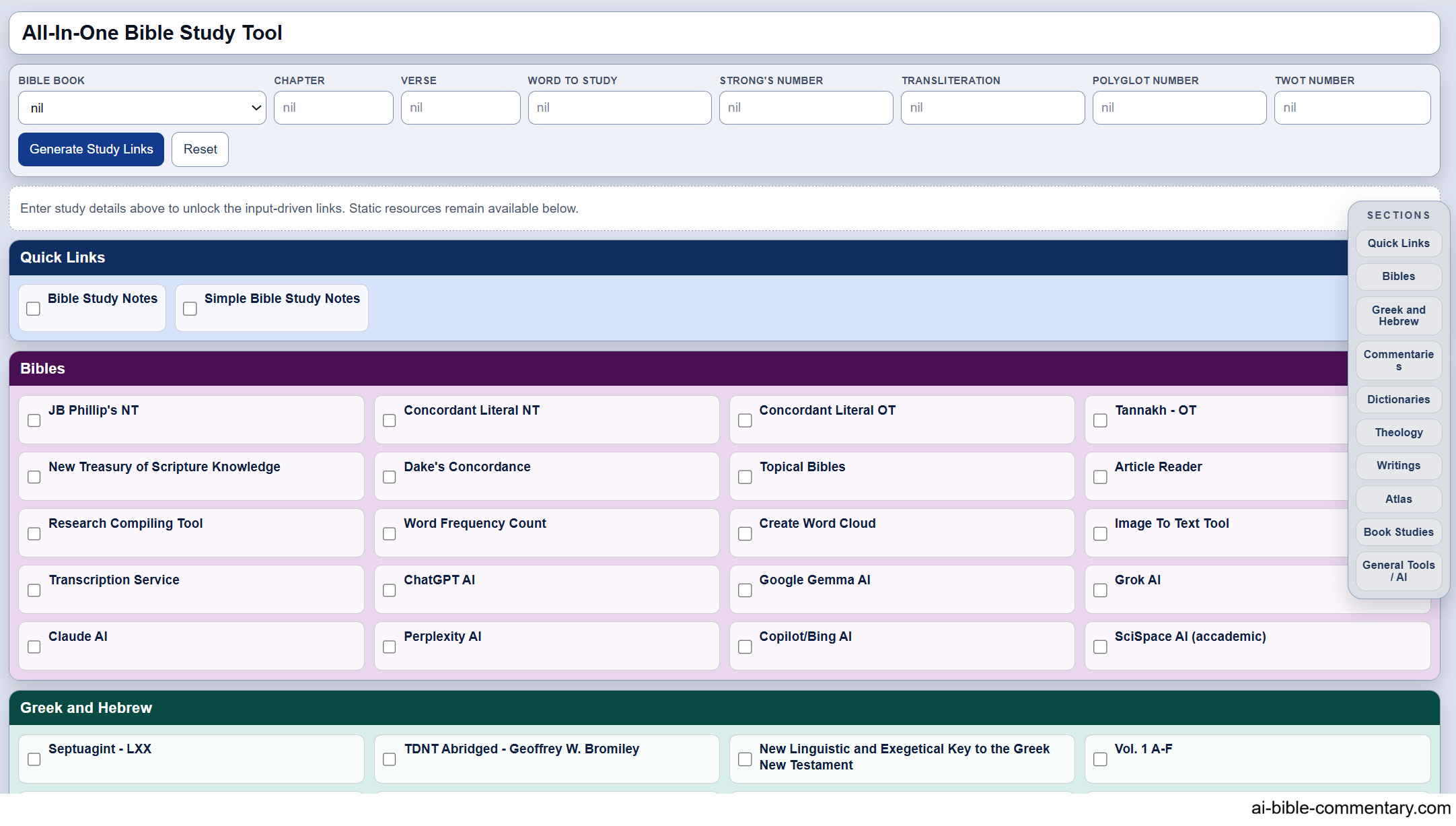
All-In-One Bible Study Tool
A Bible study launcher that connects book, chapter, verse, word, Strong’s number, transliteration, and other fields to study resources.
The All-In-One Bible Study Tool is a central launcher for Bible study links and original-language lookup helps.
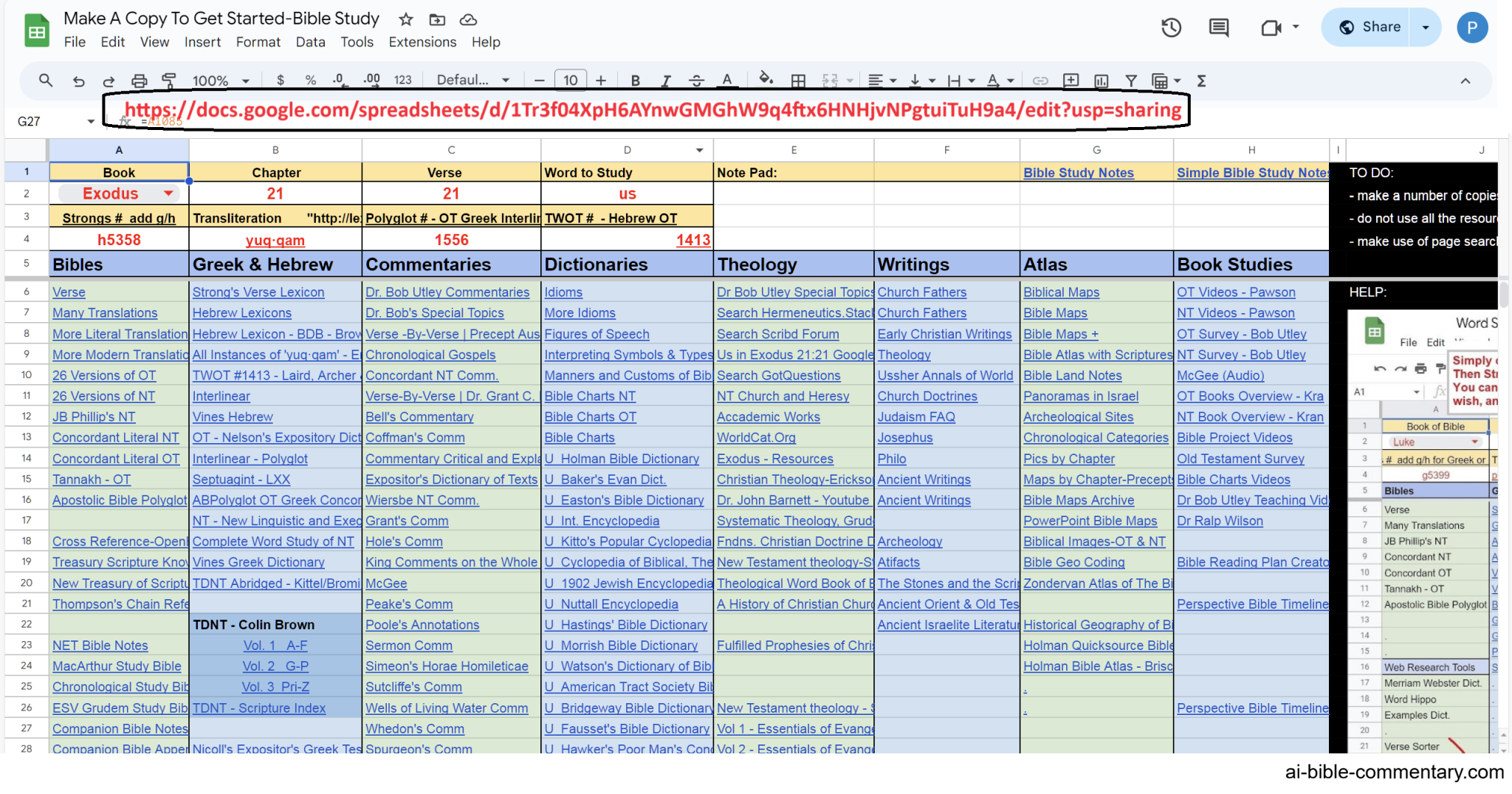
There is also a Google Sheets version that you can save to your own Google account. That version gives you freedom to add, edit, or delete resources as your own study workflow develops.
Bible Study Prompts Library
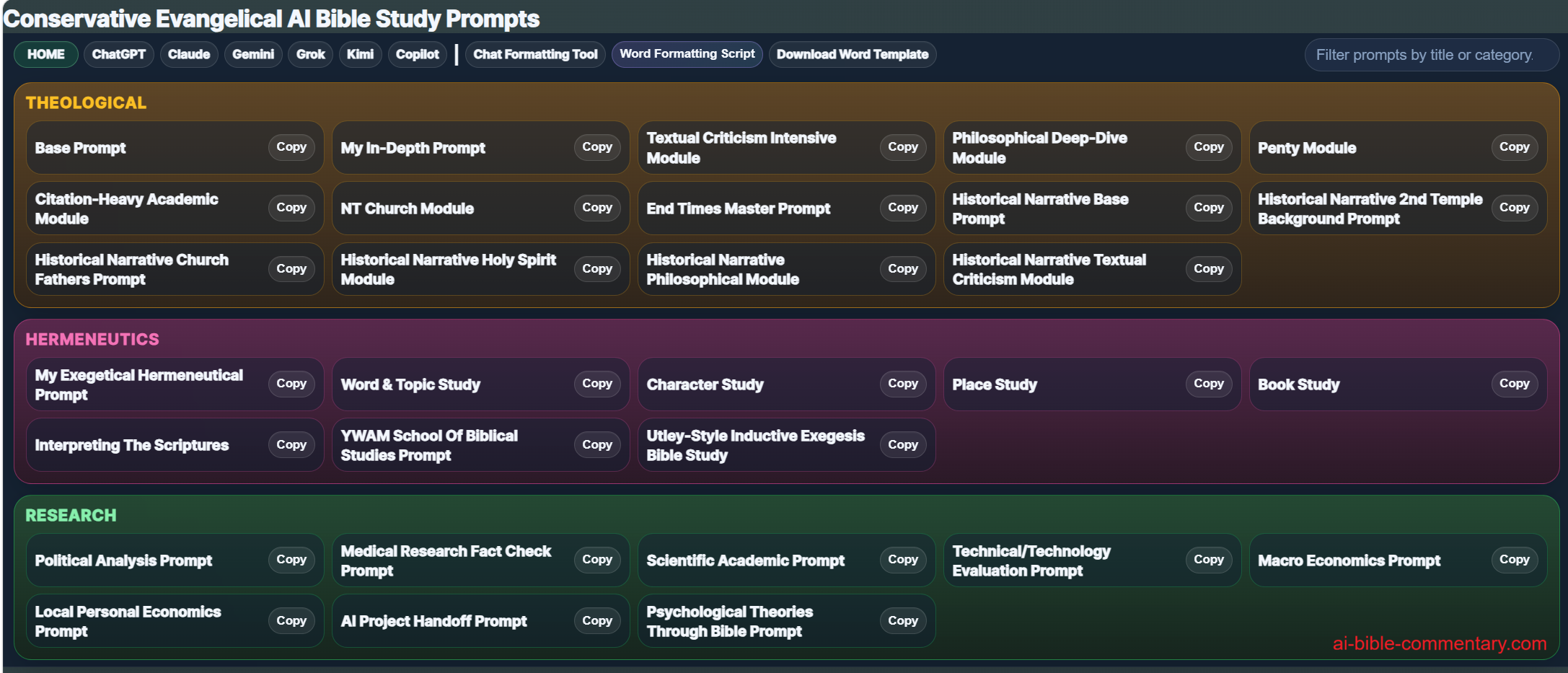
Conservative evangelical AI Bible study prompts and practical wording helps for making AI answers easier to understand.
The Bible Study Prompts Library provides conservative evangelical prompt frameworks for Bible study, exegesis, theological analysis, and related research tasks.
Practical prompt help: If an AI reply is too theological or technical, ask: “Put this in layman’s terms so I can better understand it.”
You can also ask: “Put this into words that a 12 year old would understand.”
Bible & Church History Timeline
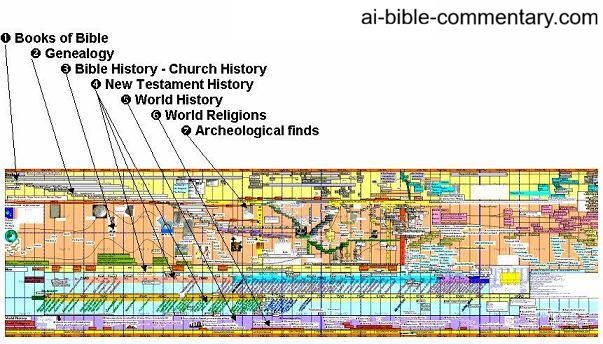
A visual Bible and church history timeline for seeing people, events, and movements in historical relation.
This timeline helps readers place biblical books, people, events, and church history in a larger chronological setting.
Try reading or listening to a whole book of the Bible with the timeline in front of you. If that feels difficult, do it with a friend or a small group.
It can be an exciting way to discover God more deeply. The connections begin to fall into place: who God is, how God works, when people and events occurred, and how those events relate to the whole biblical story.
Article Reader With Scripture Pop-Ups
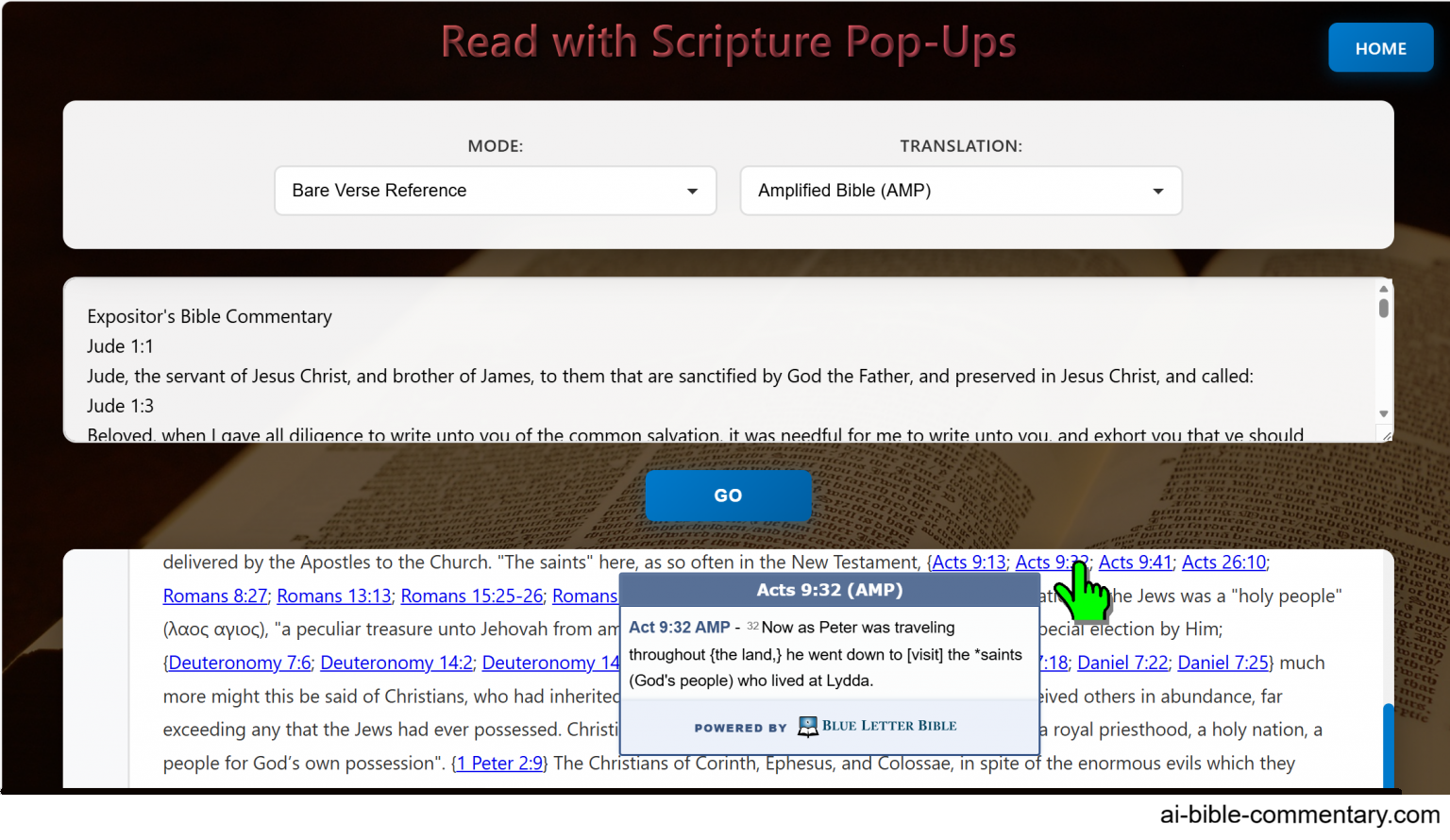
Paste an article into a reader and hover over Scripture references to see the verses in pop-up windows.
This reader lets you paste an article into a page, press Go, and then hover over Scripture references so the verses appear in a pop-up window below.
Research Compiler
Paste bulk research, transfer selected points, organize notes, and download the collected material.
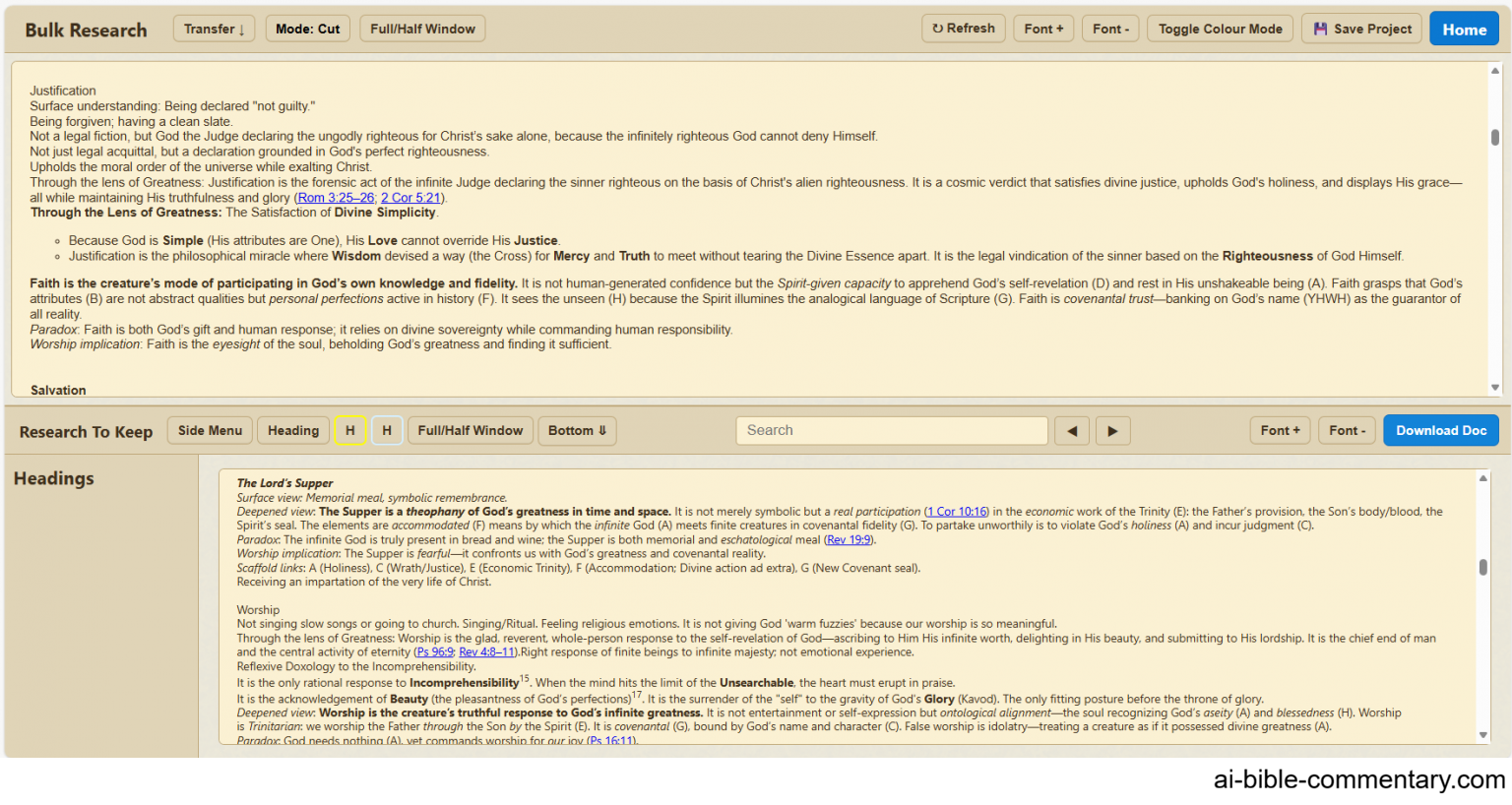
The Research Compiler is designed for working through bulk research. Paste source material into the top panel, highlight the main points you want to keep, and transfer them into the bottom panel. Then download the collected notes to your computer.
The top panel includes controls for cut-and-paste versus copy-and-paste behavior, full-window expansion, page refresh, font-size changes, page colour changes, and a Save Project option that downloads the whole page with your content.
The bottom panel includes a hideable side menu, heading tools, two highlight colours, full-window expansion, search, font-size controls, and a Word-document download option.
Quick Note Taker with Video Timestamps
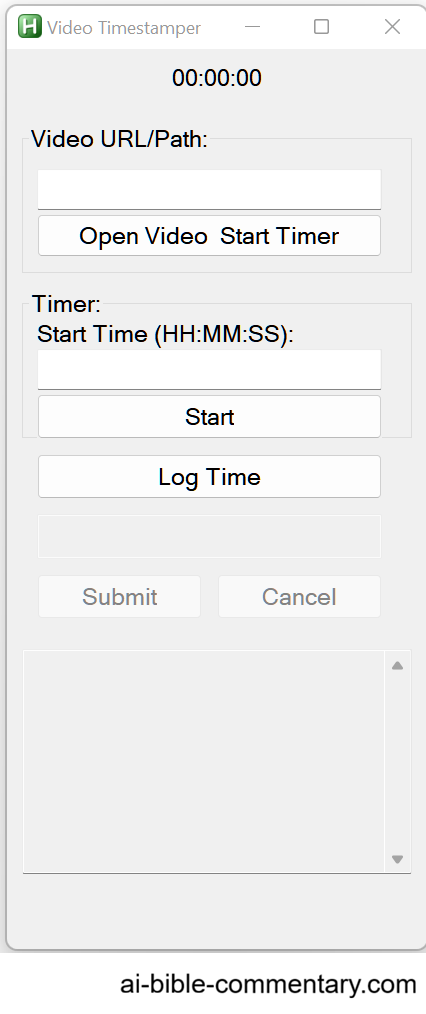
A small program for taking quick notes with timestamps while watching a video.
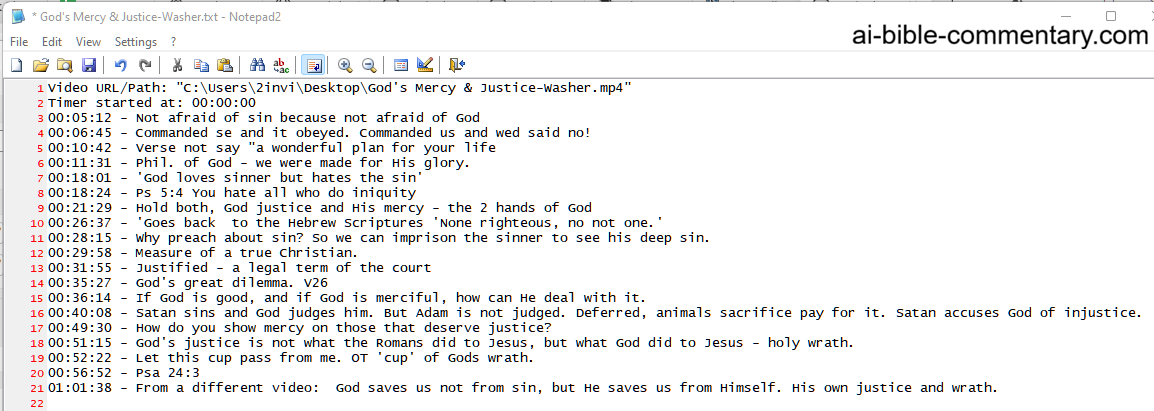
This simple program lets you make quick notes with timestamps while watching a video.
The notes can be saved as a text document, preserving the timestamps beside your comments.
Bible Order Verse Sorter
Sort a bulk list of Bible verses into Bible-book order.
This sorter is useful when you have a bulk list of Bible verses and want them arranged in canonical Bible-book order.
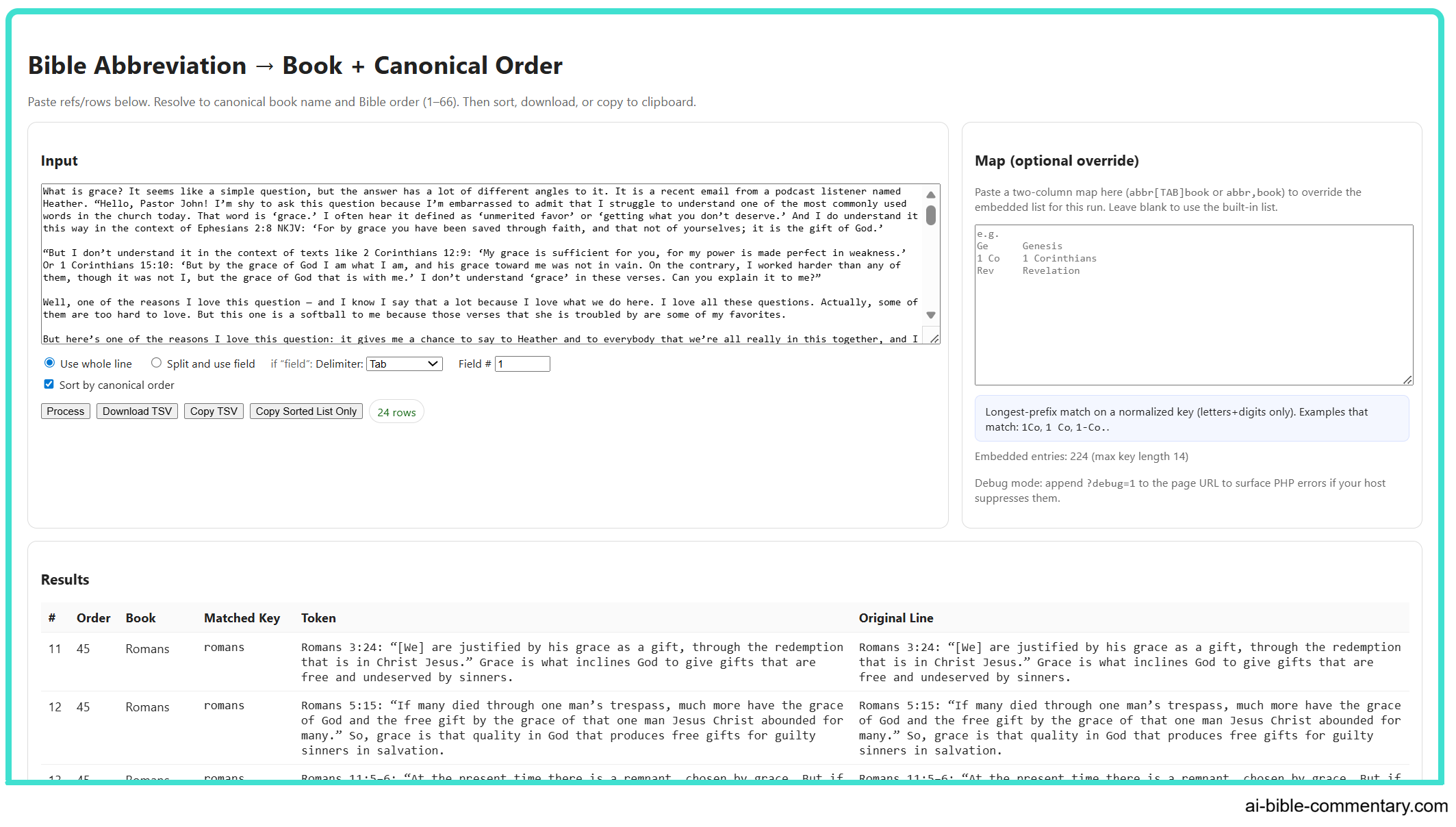
Enough Already, Stop Preaching God’s Love, For Heaven’s Sake
A challenge to the modern church and a resource on the root problem in the church today.
A Challenge To The Modern Church.
This linked book resource addresses what it presents as a root problem in the church today.
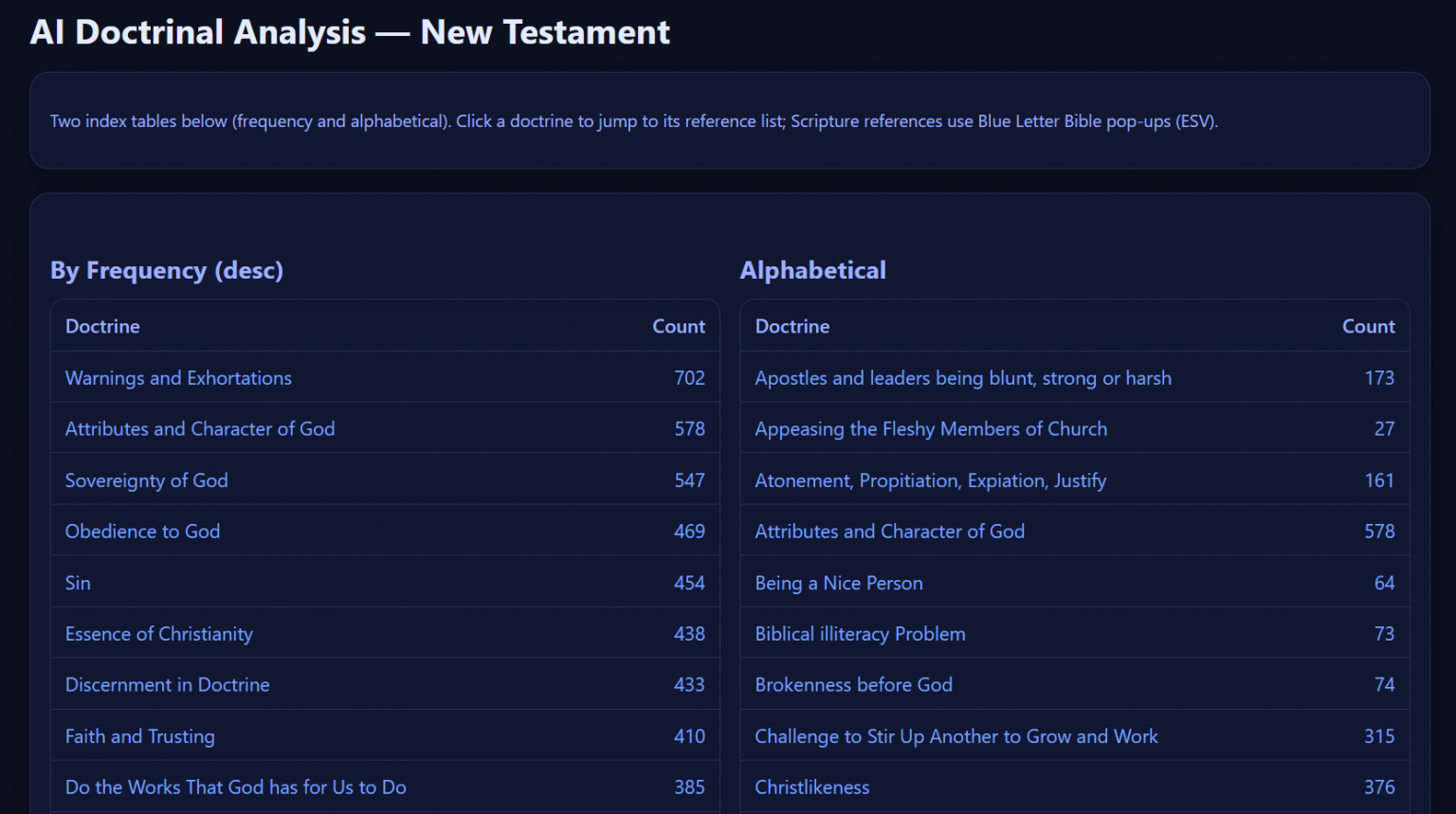
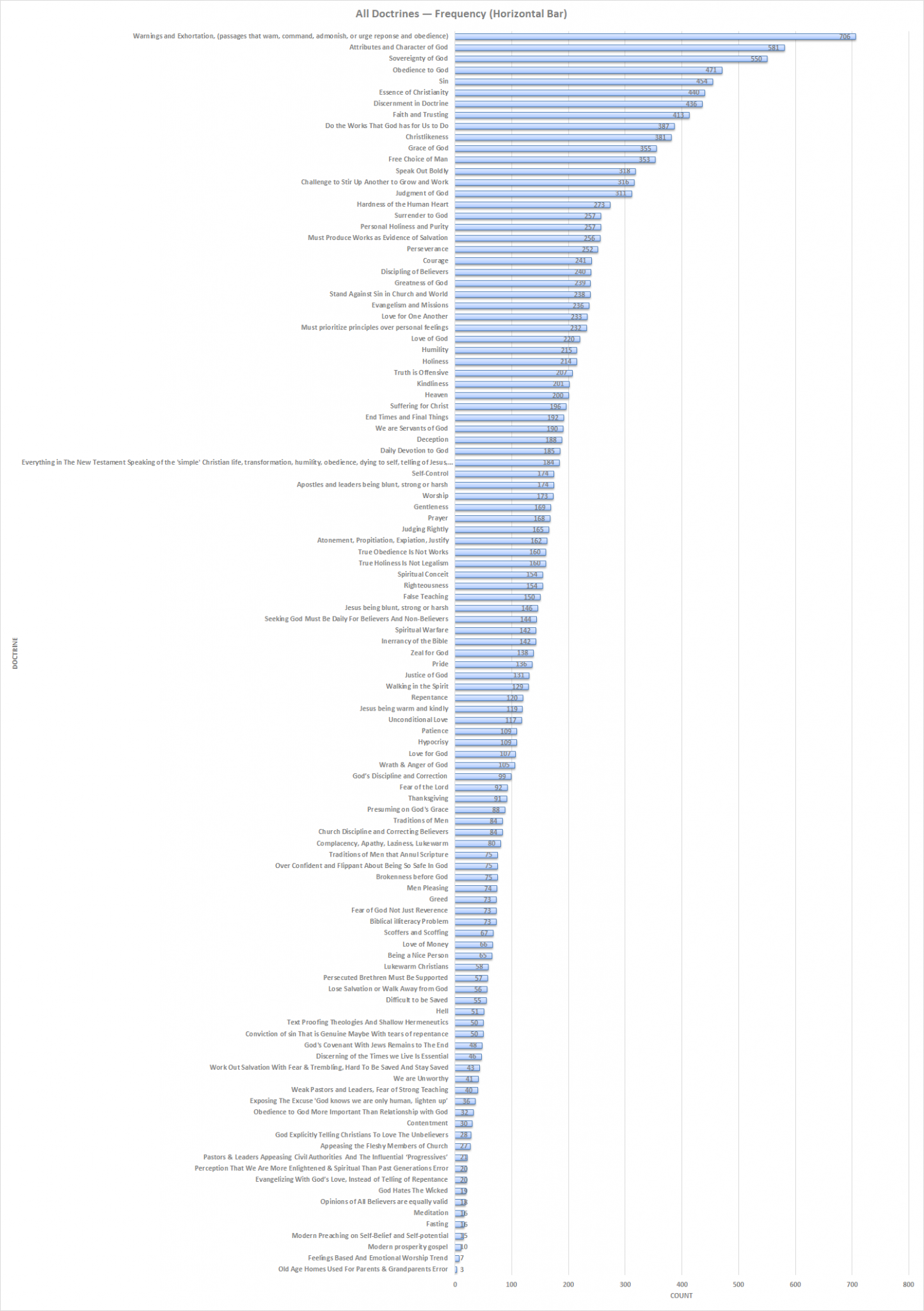
Doctrine Count By AI
An AI-compiled listing of doctrines and teachings, with a frequency chart.
This is a listing compiled by AI of many different doctrines and teachings. It is not presented as a precise final authority, but it may be useful as an exploratory resource and may be improved in the future.
Frequency charted: